Boot into safe mode on Windows 8/Server 2012
One of the earliest steps in troubleshooting a PC/Server is to boot into safe mode. Be it Last Known Good recovery, to uninstalling a faulty driver, this has simply been achieved by pressing the F8 key.
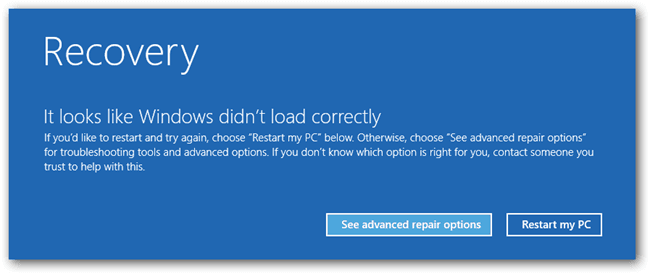
This changed with Windows 8 / Windows Server 2012 and its Automatic Repair mode.
But what if we want Safe Mode?
You can still have Safe Mode, however, it is buried deep into the recovery options. While just mashing the F8 key sometimes works, I have noticed that sometimes, on Dell servers, it now brings you into the LifeCycle Controller. If this is the case, you can still access the recovery options by pressing the Shift+F8 key combination.
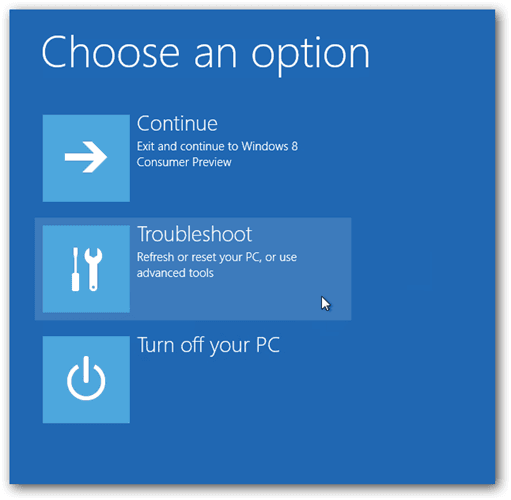
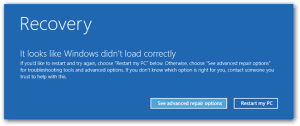 Select the "Troubleshoot" Option.
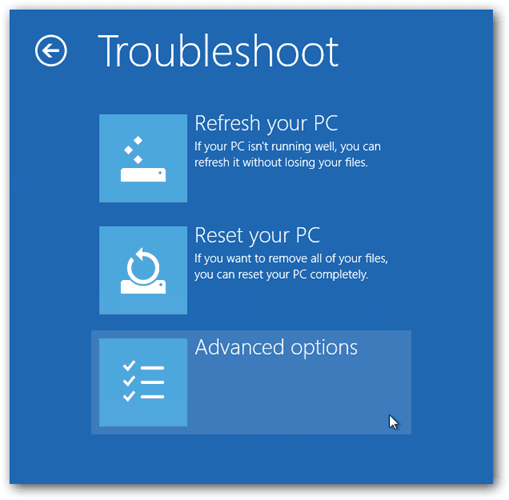
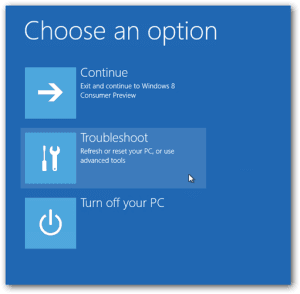 And... Select "Advanced options"
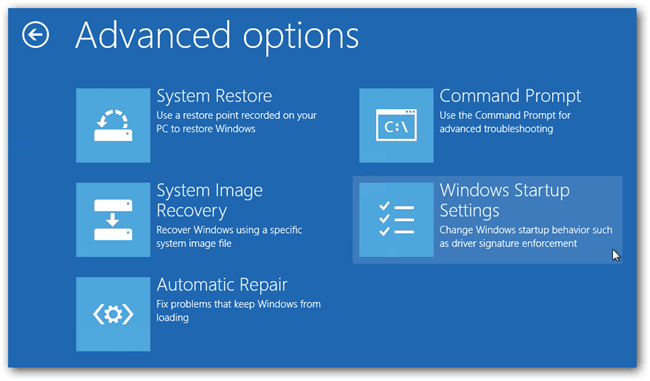
 Now, from the Advanced Options menu, choose the "Windows Startup Settings" option.. *How anyone is ever to find this, your guess is as good as mine...
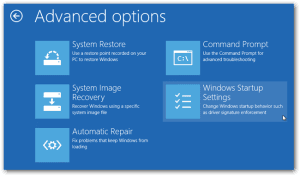 Finally, Restart.
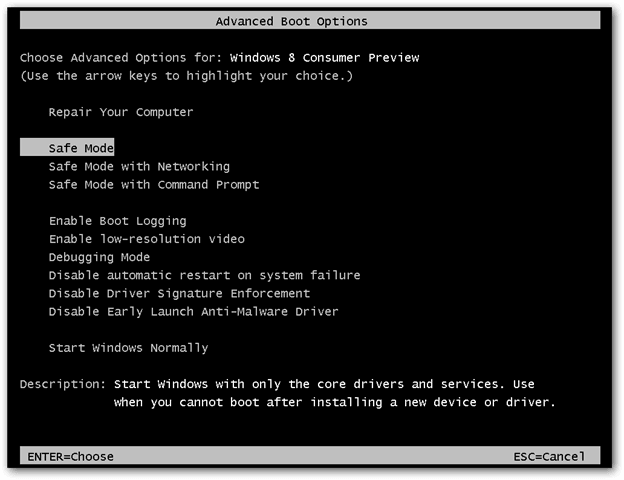
 When your system restarts; Look what I found!!
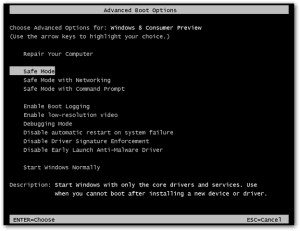
 Select the "Troubleshoot" Option.
 And... Select "Advanced options"
 Now, from the Advanced Options menu, choose the "Windows Startup Settings" option.. *How anyone is ever to find this, your guess is as good as mine...
 Finally, Restart.
 When your system restarts; Look what I found!!
Tags:
0 Comments
Leave a Comment